
Your cameras where the action is, your control room where you are.
Live is your Backstage studio plus the Live control room: video composition, audio mixing, remote camera control, streaming. A small team runs a multicam show, on site or remotely.
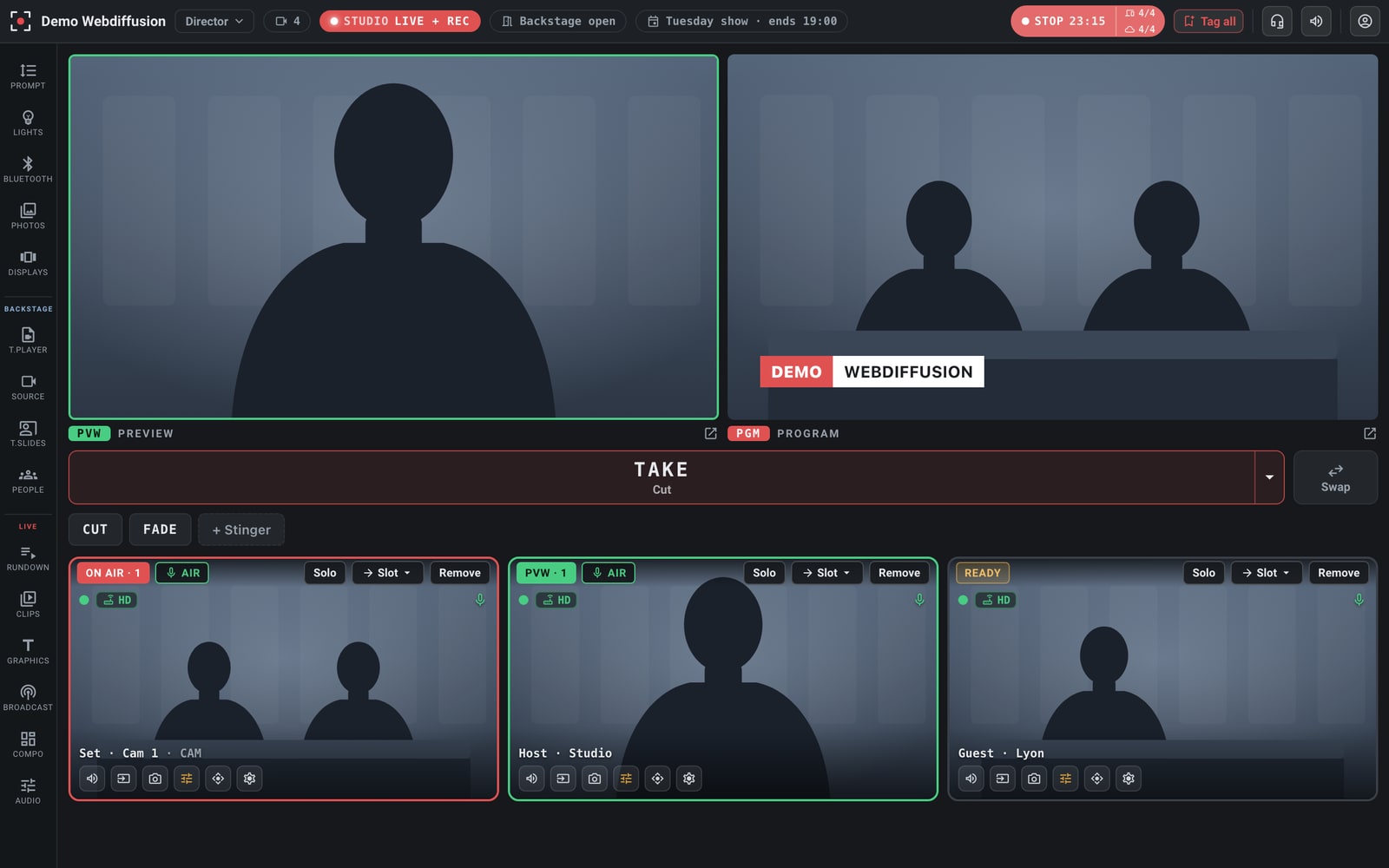
Behind the scenes, you prepare the show, record segments and welcome your guests.
Live includes all of Backstage: that is where you prepare scripts and shots, record segments ahead of time, and welcome your speakers with a link, a test before joining and a role. On show day, the control room takes over in the same studio.
Multicam live, within your reach.
Regular shows, with a small team
Cameras and mics mixed from one console: two or three people run a multicam show.
Set up in hours, not days
The control room becomes software and the equipment fits in a car: less cabling, less space, less waiting before going on air.
The expert can be elsewhere
Framing, exposure, white balance, pan-tilt: everything is adjusted from the control room, wherever it is.
Never go to black
If the site cuts out, a test card takes over and the stream does not drop; holding content plays between segments.
Everyone has a role; the control room decides what goes on air.
Each person works on the live show within their own scope, without being able to touch the rest of the control room. You do not tie up more technicians than needed, and each task goes to whoever knows it best, client included.
- Speaker names and titles, entered and corrected up to the last minute by the editorial team or by the client, even remotely; the control room puts them on air.
- The teleprompter run by the host, the slides by the speaker who presents them.
- Direction alone keeps control of composition, audio and what goes on air.
Local first, cloud when needed.
Switching, recording and set control run on site, on your network. If the internet drops briefly during a session, the control room and recording carry on; streaming and remote participants resume when the connection returns. When the setup reaches beyond the site (remote speakers, remote director, streaming), the cloud takes over with the same controls.
Everything a control room does, and more it never could.
Cameras where no one can stay
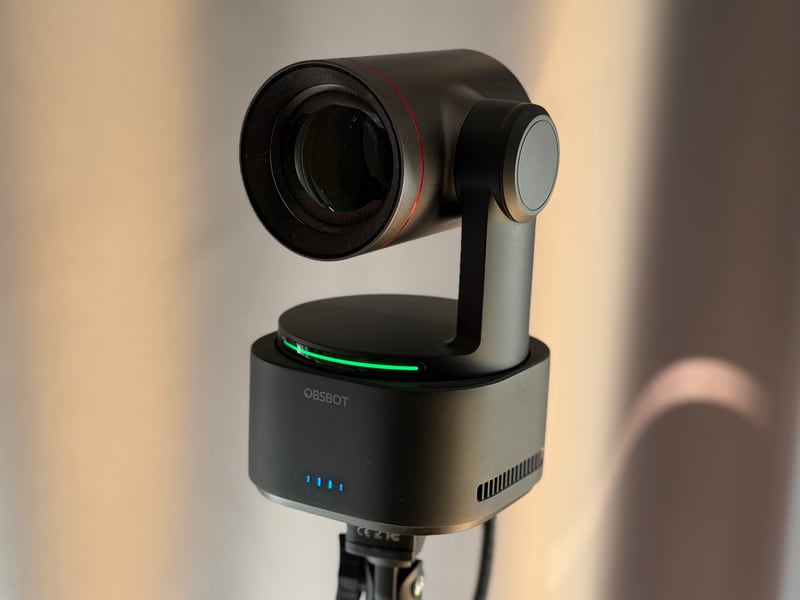
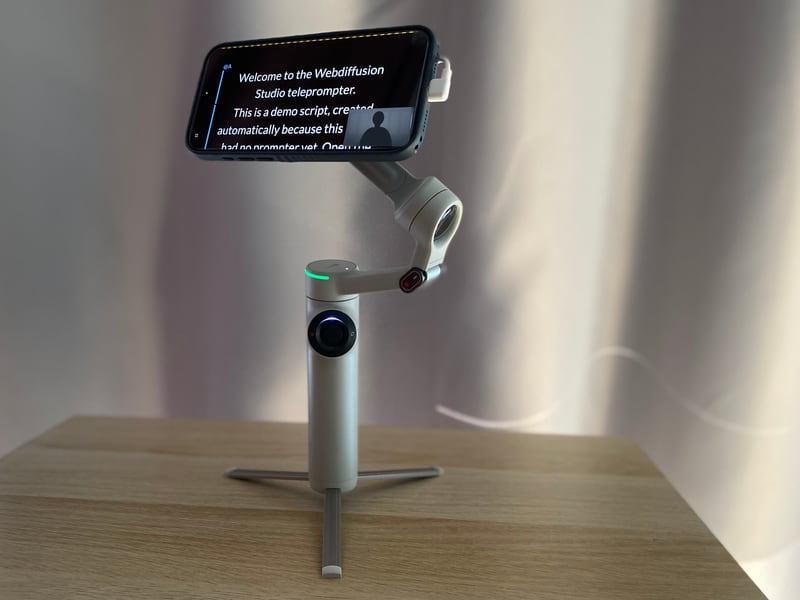
OBSBOT PTZ cameras, smartphones on motorized heads, USB cameras: framing, zoom, exposure from the control room; other network cameras come in as video sources. The Webdiffusion AirLink box carries up to four cameras over long-range Wi-Fi (offered as a pilot).
Broadcast-style titles, on brandComing soon
Logo and partners, show, topic, speaker name on shot change, QR code, ticker; score, quiz, audience questions.
Audio, source by source
Level, mute and audio-follows-video per source; monitoring separate from the on-air mix; picture and sound aligned within one frame.
Switching, scenes, media
Multicam layouts, transitions, rundown, video playback: prepared in advance, run live.
Stream everywhere
YouTube, Facebook, LinkedIn and any SRT destination, with scheduled holding content.
Three intercom channels
The team, the hosts’ earpieces and the studio loudspeakers, with push-to-talk and without dedicated hardware.
The hybrid event, one control room
Each venue screen shows what is pinned to it and plays the audio of the chosen source: the room and the online audience served by the same control room.
Control surface and button at hand
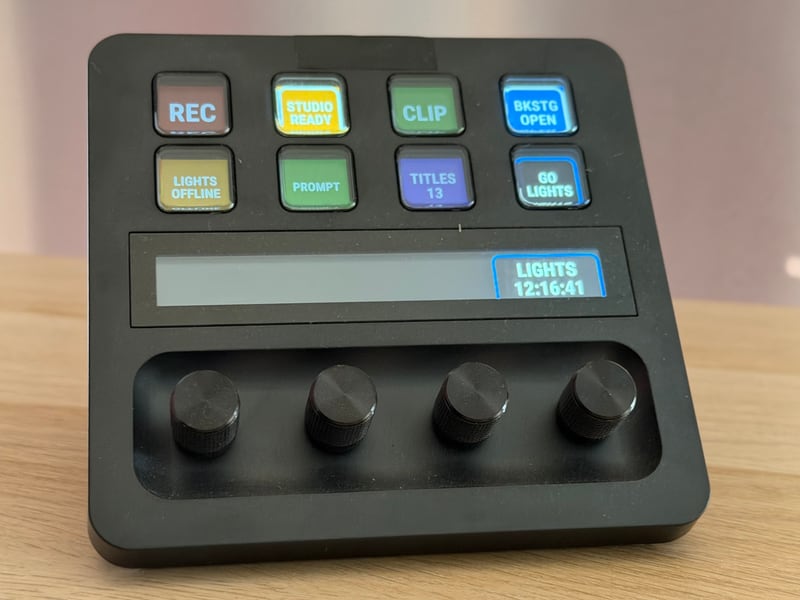
A Stream Deck control surface for frequent actions, a discreet button in the speaker’s hand for their teleprompter (offered as a pilot).
Broad hardware compatibility.
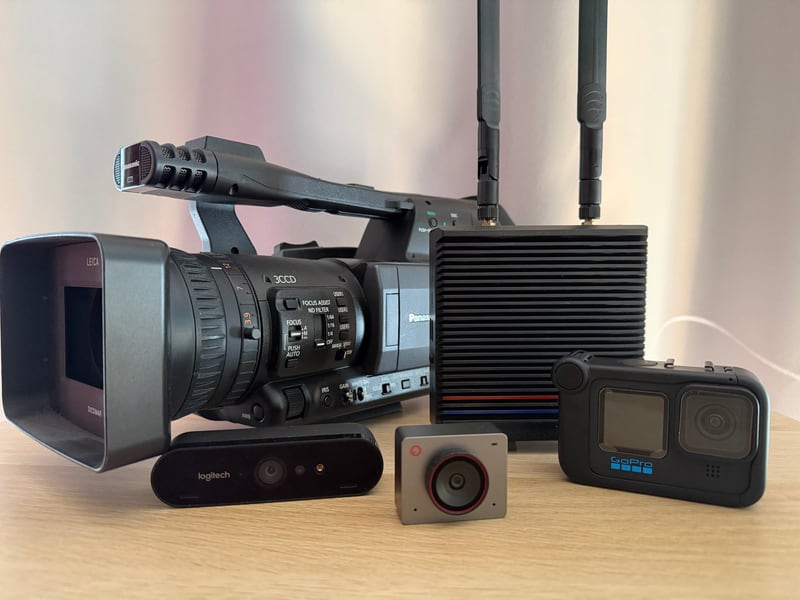
The platform controls the hardware we qualify in real conditions, and takes most network cameras as video sources.
A transparent price, no hourly meter.
€390 excl. VAT/month billed annually · €490 billed monthly
All of Backstage plus the control room, unlimited local hours, 2 streaming destinations, 500 AI credits per month. Live Pro: 2 studios, extended sources, 5 destinations, 1,500 AI credits, from €590.
Compare plans →See the control room for real.
A session on your questions (remote cameras, audio, streaming), on a real set, controlled remotely during the call.